One workspace for every company event.
Invite the people, set the travel rules once, and see every booking, room and cost in one place. For offsites, sales kickoffs, conferences, retreats and incentive trips.
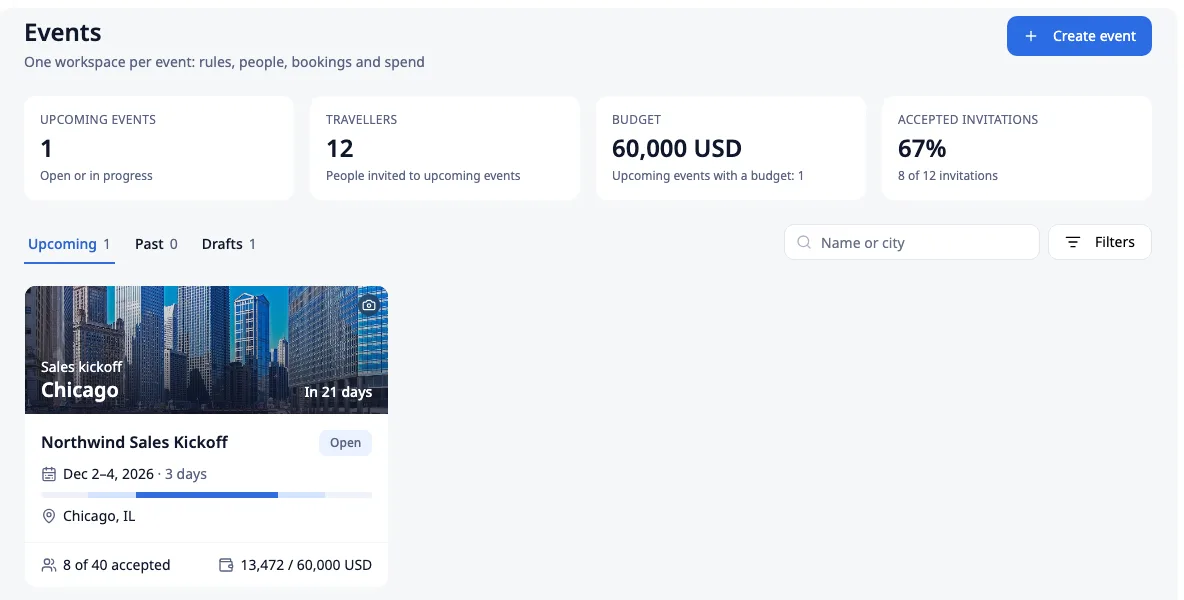
A team trip is not ten separate trips.
Spreadsheets and inboxes
Group trips run on spreadsheets, email threads and a travel agent's inbox. Nobody knows who has booked, who lands late, or how much is already spent.
Policy that does not fit
Company travel policy does not fit an event: everyone must arrive on the same day, stay in the same hotel and keep to one budget.
Guests booked by hand
Speakers, partners and clients cannot use the company travel tool, so someone books them by hand.
Company Events lives inside the platform your people already book and expense with. Event bookings, expenses and cards land in the same reports, cost centers and invoices as any other company travel.
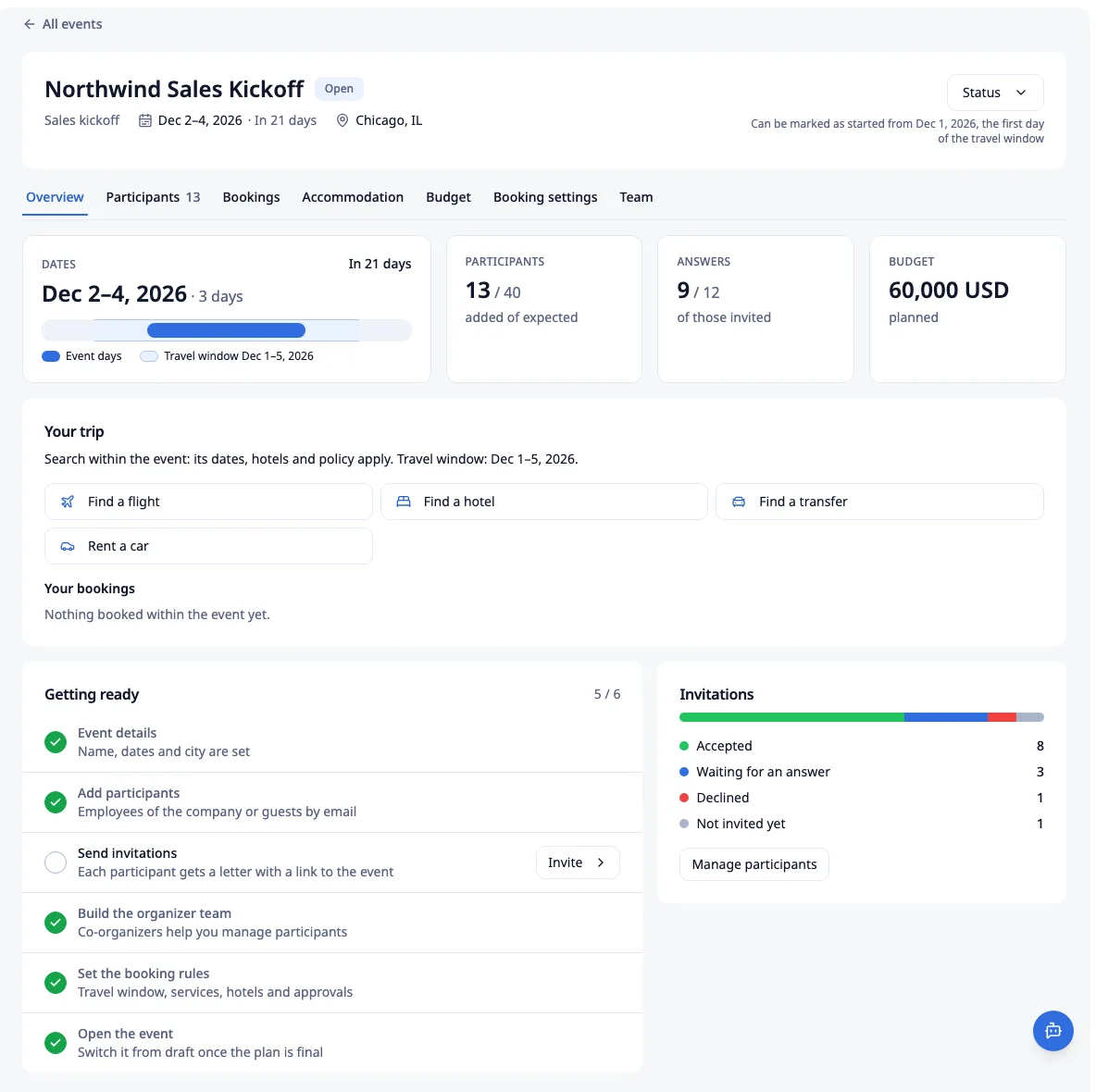
Everything the organizer needs, on one event page.
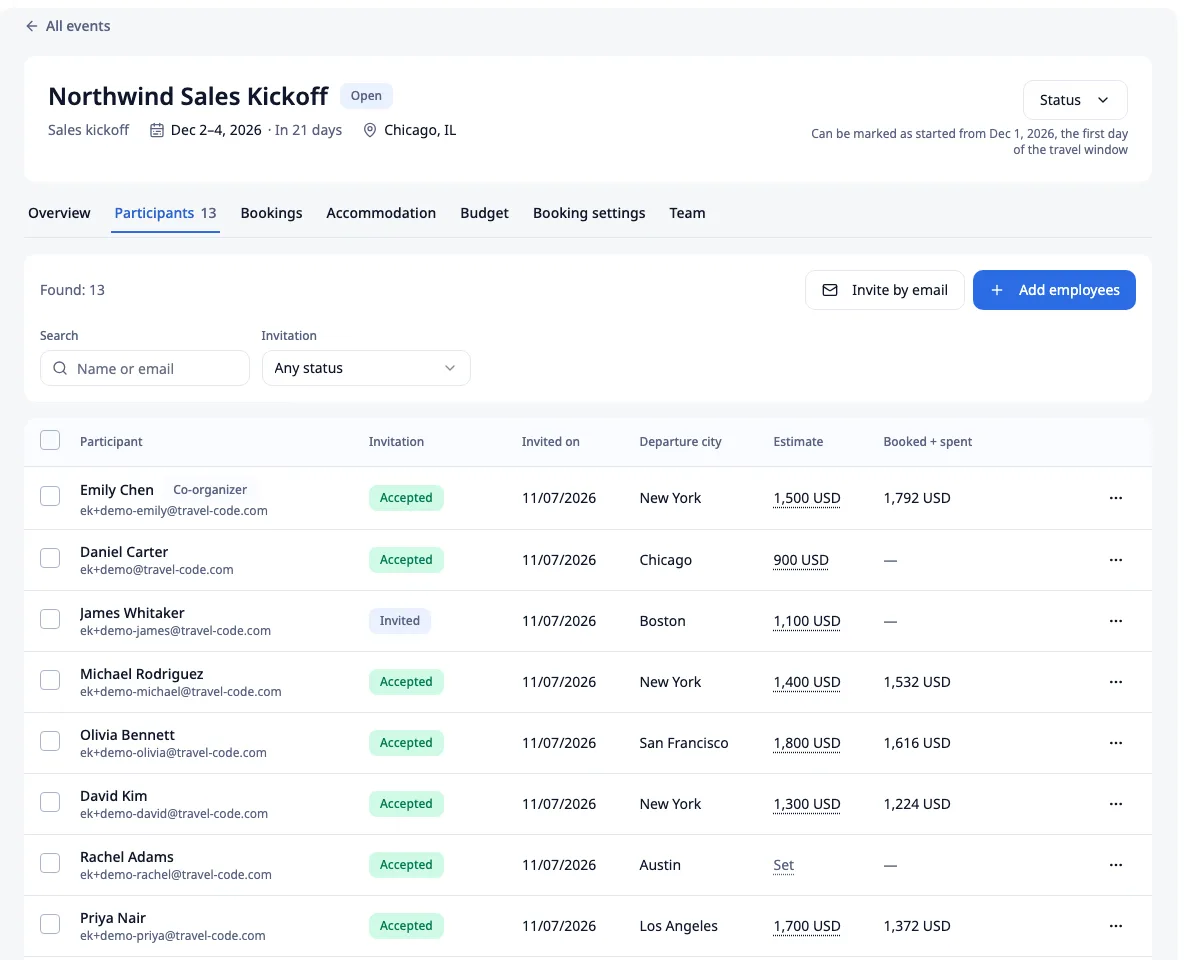
Everyone on one list, guests included.
Add employees from the company directory, or invite external guests by email.
- Invitation status for each person: not invited, invited, accepted or declined, with the date of the invitation.
- Departure city, the planned estimate and booked + spent per person.
- A flag when someone's bookings fall outside the travel window.
- Guests get their own access for the event. It closes on its own after the event.
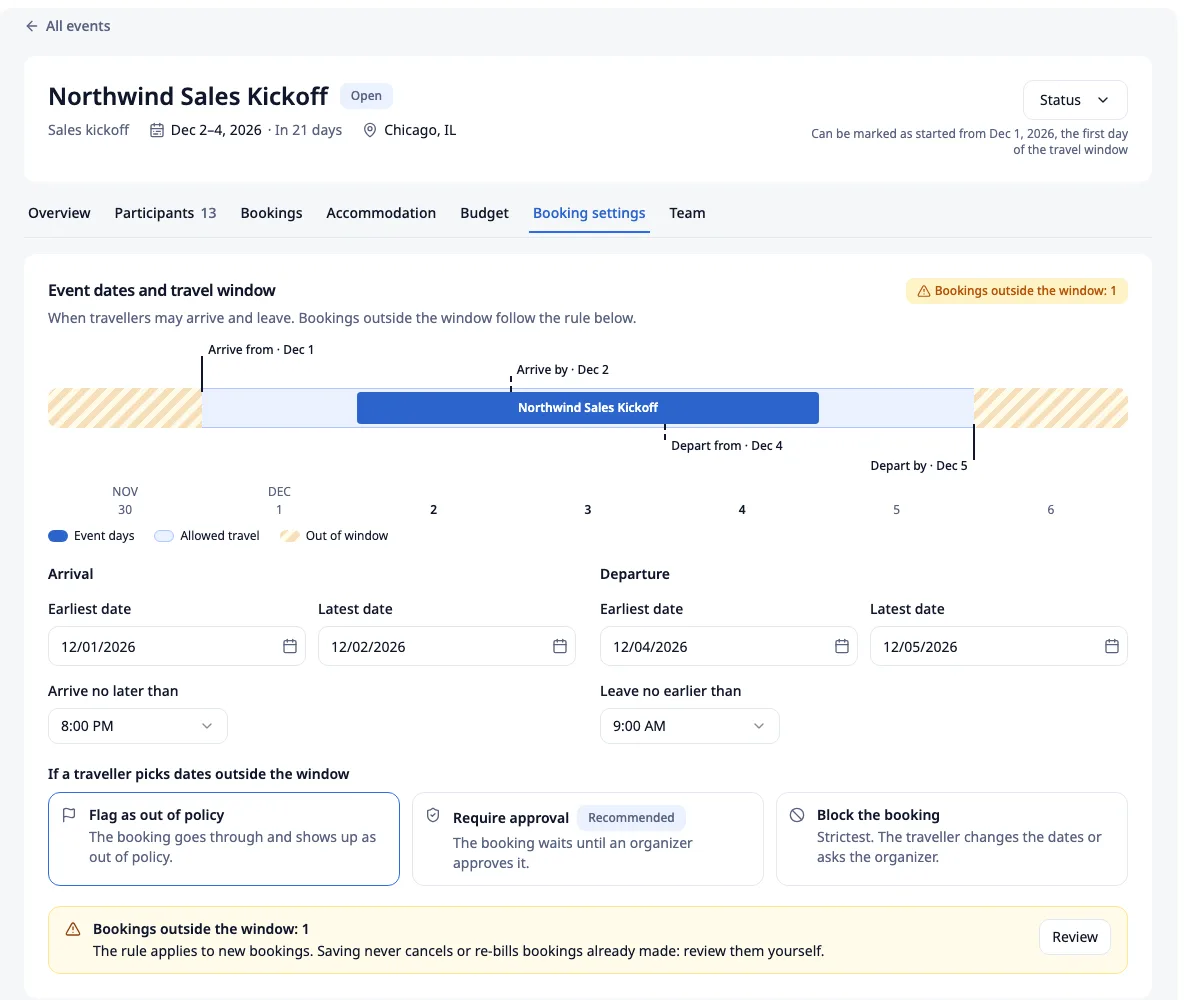
One travel policy, just for the event.
Set the travel window: the earliest and latest arrival date, the arrive-by time, the earliest and latest departure date, and the leave-after time. A timeline shows the event days and the allowed dates.
- Outside the window, you choose: flag it as out of policy, require approval, or block the booking.
- Turn flights, hotels, rail, transfers, car rental and buses on or off for the event.
- Flights: the highest cabin class and allowed arrival airports. Hotels: any hotel within policy, or only a hotel list; prepaid or pay-at-hotel rates.
- Approvals for out-of-policy bookings only, for every booking, or above an amount. They go to the event owner and to co-organizers with the approval right.
The rules apply on every booking path: web search, a cart sent for approval, or the API. The rest of the company keeps its normal policy.
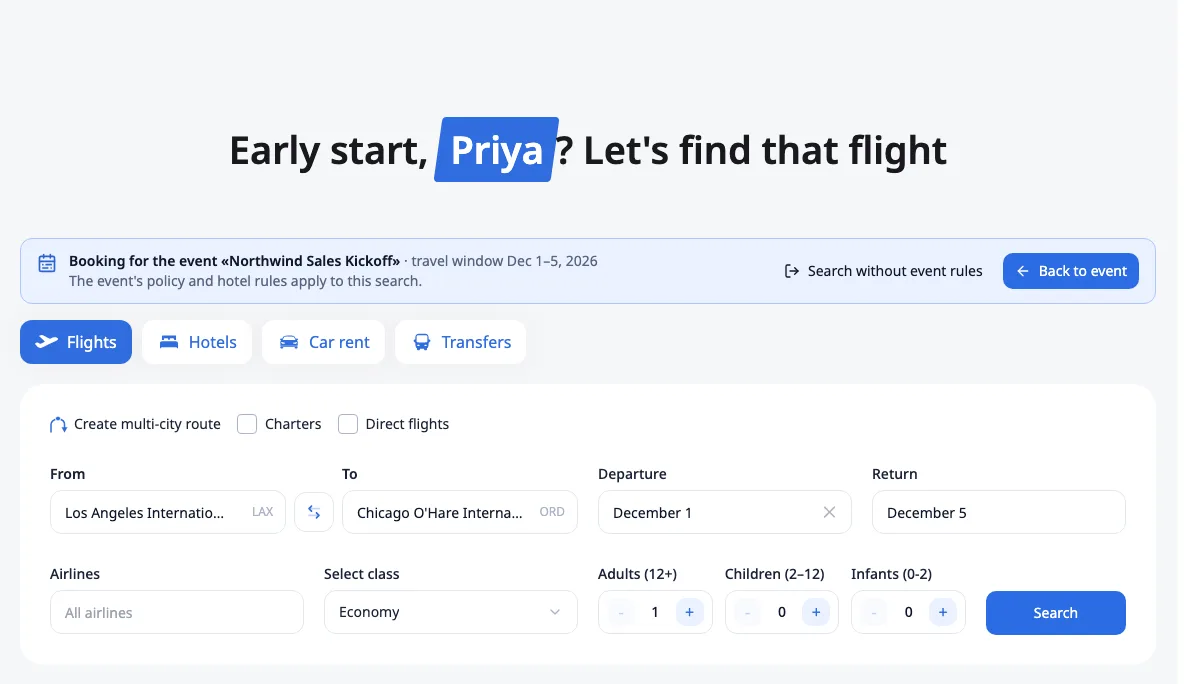
Booking inside the event.
A participant clicks Find a flight, hotel, transfer or car on the event page. The search opens with the event city and the travel window filled in, under a banner that names the event.
- One click switches to a search without the event rules, for private or unrelated travel.
- The organizer sees every event booking in one list: order number, traveller, services, dates, status and amount.
- A filter shows the bookings outside the travel window.
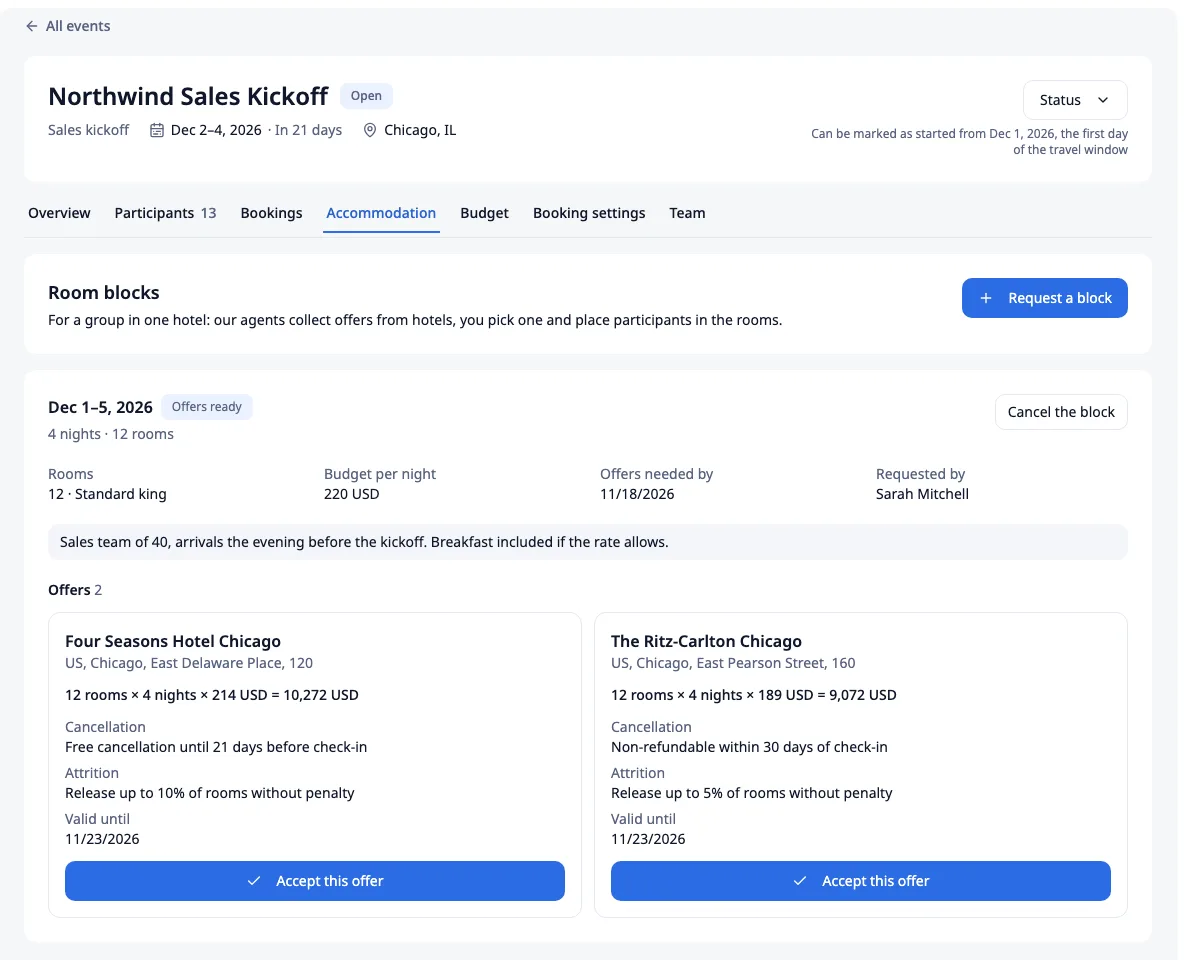
Room blocks, compared side by side.
Request a block: the dates, the number of rooms and room type, a budget per night, the date you need offers by, an optional hotel shortlist and a note.
- Travel Code agents collect the offers from hotels.
- Compare the total, the cancellation terms, the release terms (how many rooms you can give back without a penalty) and the validity.
- Accept one offer in one click. The agent books the rooms, and you assign participants to them.
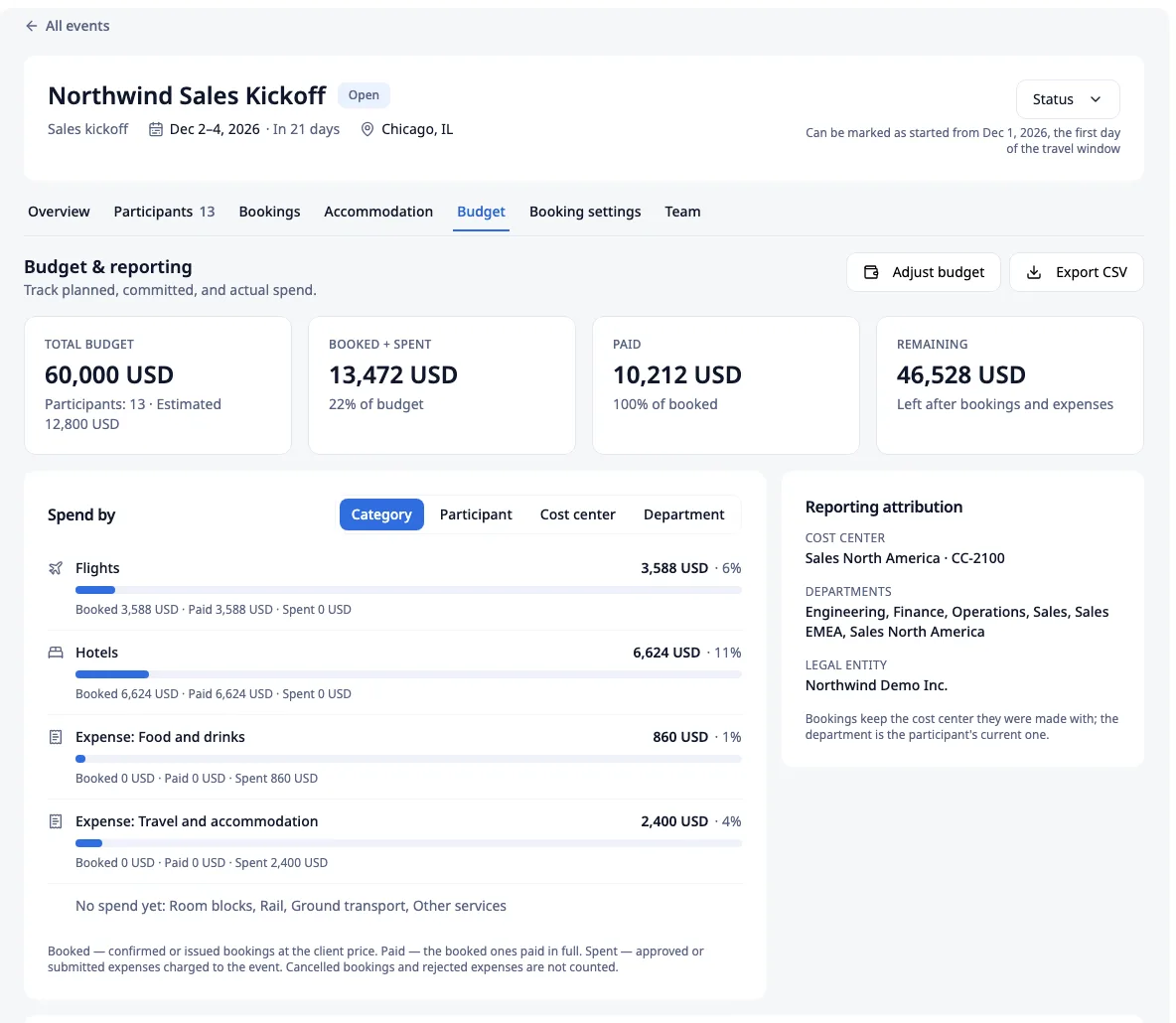
Four numbers that answer “where are we?”
Total budget, booked + spent, paid and remaining, always current.
- Spend split by category, participant, cost center or department, plus recent transactions.
- The legal entity, cost center and departments shown for reporting attribution.
- Export to CSV.
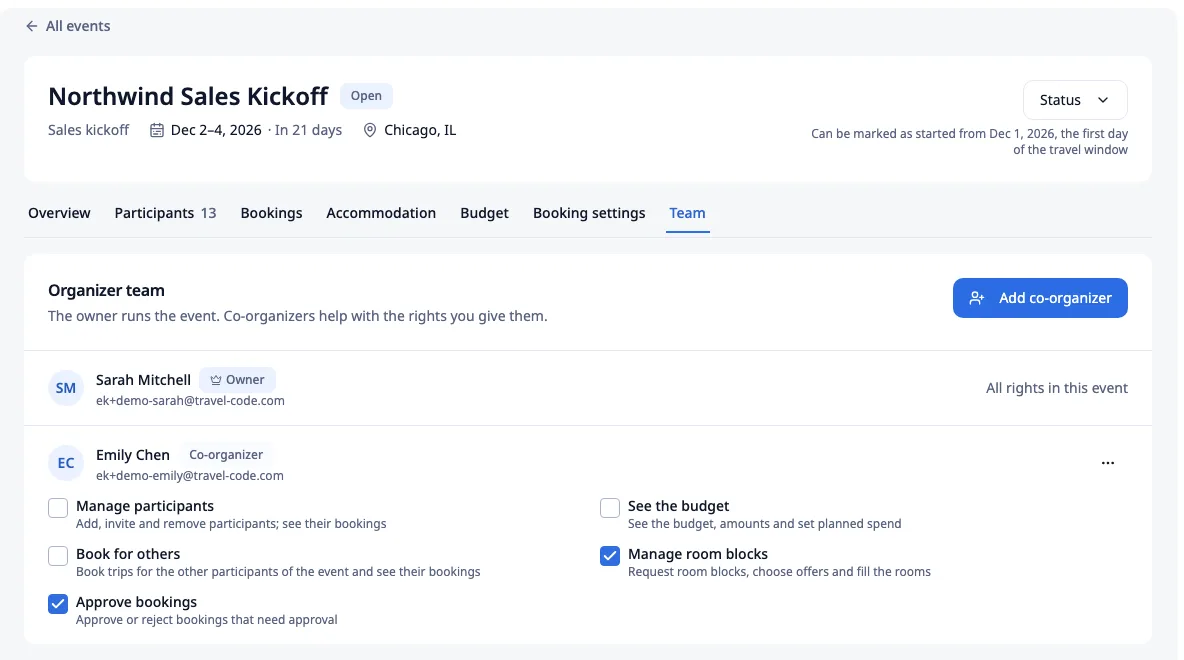
Share the work, not every right.
Add co-organizers with separate rights: manage participants, see the budget, book for others, manage room blocks.
- The event owner has all rights in the event.
- A clear status flow: Draft, Open, In progress, Completed, Closed, or Cancelled.
How it works
-
01
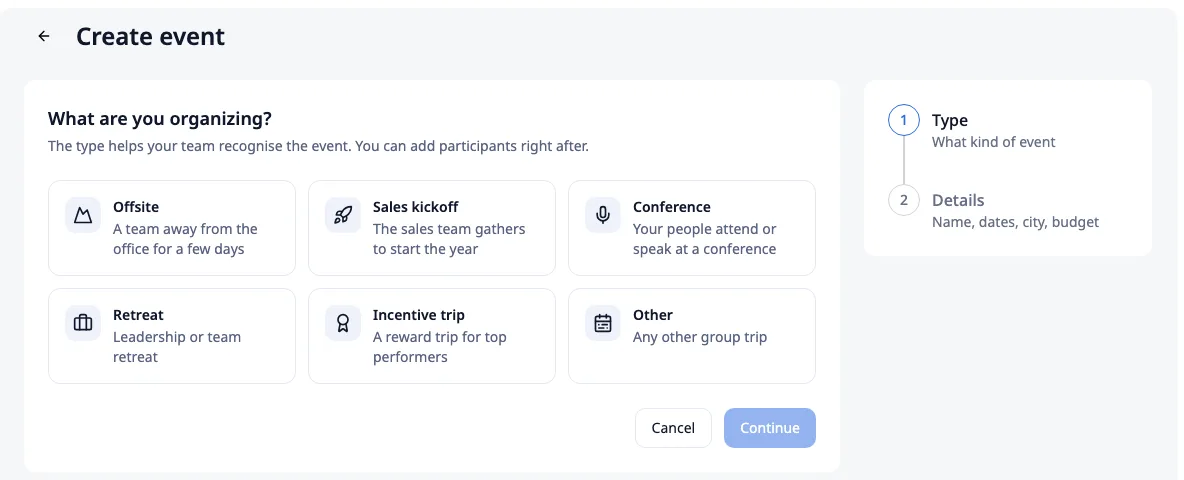
Create the event
Pick the type: offsite, sales kickoff, conference, retreat, incentive trip or other. Then the name, dates, city, expected participants and budget. It starts as a draft, and nobody is notified yet.
-
02
Add people and set the rules
Add employees and guests, build the organizer team and set the travel window, services and approvals. A “Getting ready” checklist shows what is left.
-
03
Open the event and invite
Each participant gets a letter with a link to the event and books from the event page, with the event rules applied.
-
04
Track it to the end
Follow bookings, rooms and the budget in one place, then mark the event completed and close it.
Event cards for spend on site.

- Each participant can get a virtual card with a per-person limit and currency.
- Only the holder can reveal the card number, with an email code or a passkey. Organizers never see it.
- Every card payment becomes an expense; the holder adds the receipt in the standard expense flow.
- Card spend counts in the event budget and is invoiced to the company.
Questions, answered.
Who can create an event? +
Can external guests book through the event? +
Does the event replace our travel policy? +
What if someone books outside the dates? +
Can you book a block of hotel rooms? +
How do we track the budget? +
Does it work on mobile? +
Run your next offsite from one page.
Create the event, invite the team and keep every booking, room and cost in one view.